Sub Layouts
The Sub Layouts feature in the Moon Framework allows you to create reusable layout components that can be easily integrated into different sections of your Joomla website. This feature enhances modularity and consistency across your site.
Origin of the idea
Sometimes you will encounter annoying problems with editing sections such as the footer of the layout on those styles. Repeating the same work on many styles will make us annoyed. That is why Sub-Layouts were born to solve this problem.
Basically, Sub-Layout plays a role like a whole section. It helps admins to reuse a layout section in different layouts without having to repeat the work of creating same layouts.
How to Create a Sub Layout
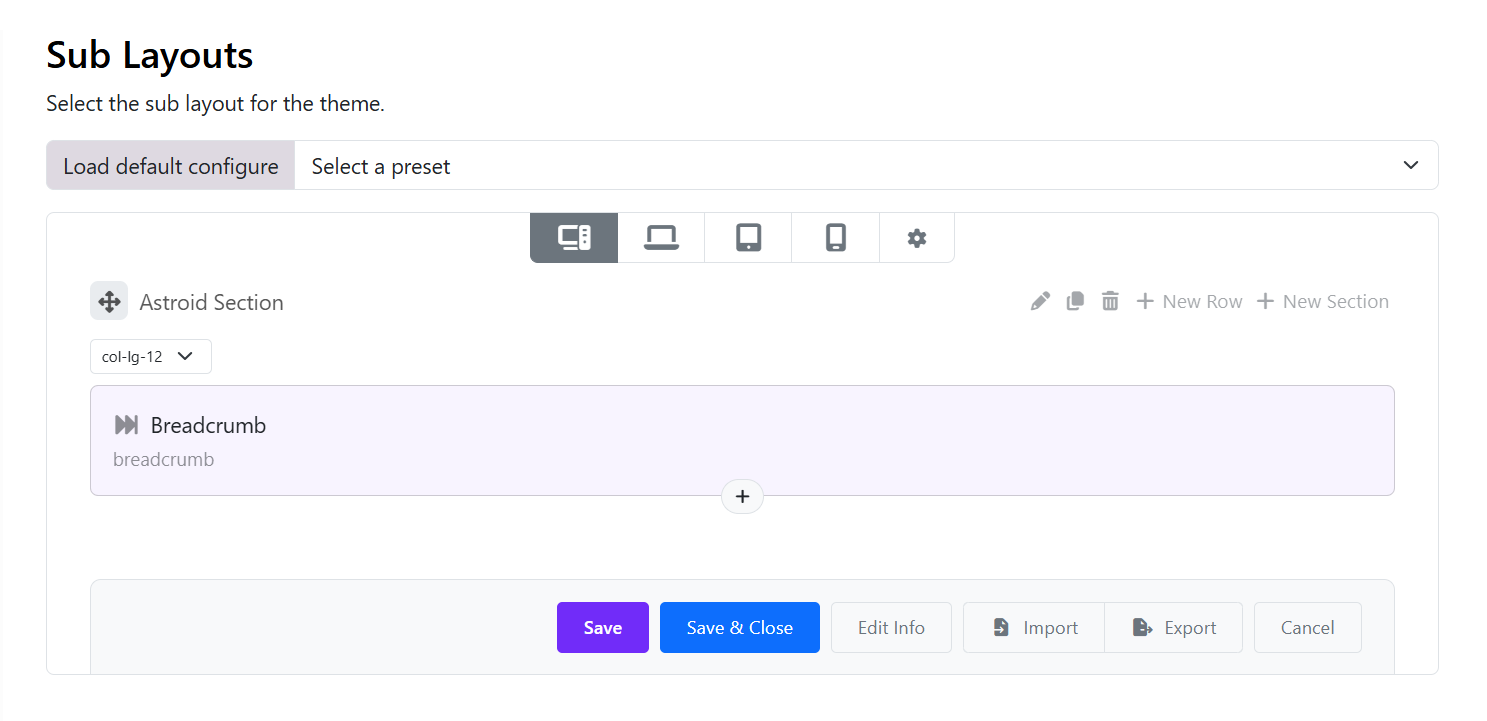
To create sub-layouts, go to:
- Log in Site Administrator (enable editing) > Appearance > Themes > Edit Moon theme's settings
- Go to the
Layout→Sub Layoutstab. - Click the
New Layoutbutton.
How to Use a Sub Layout
To use Sub-Layout. Switch to Layout > Layout.
Add Element >> Select Sublayout tab >> Select a sublayout. You can see it appear
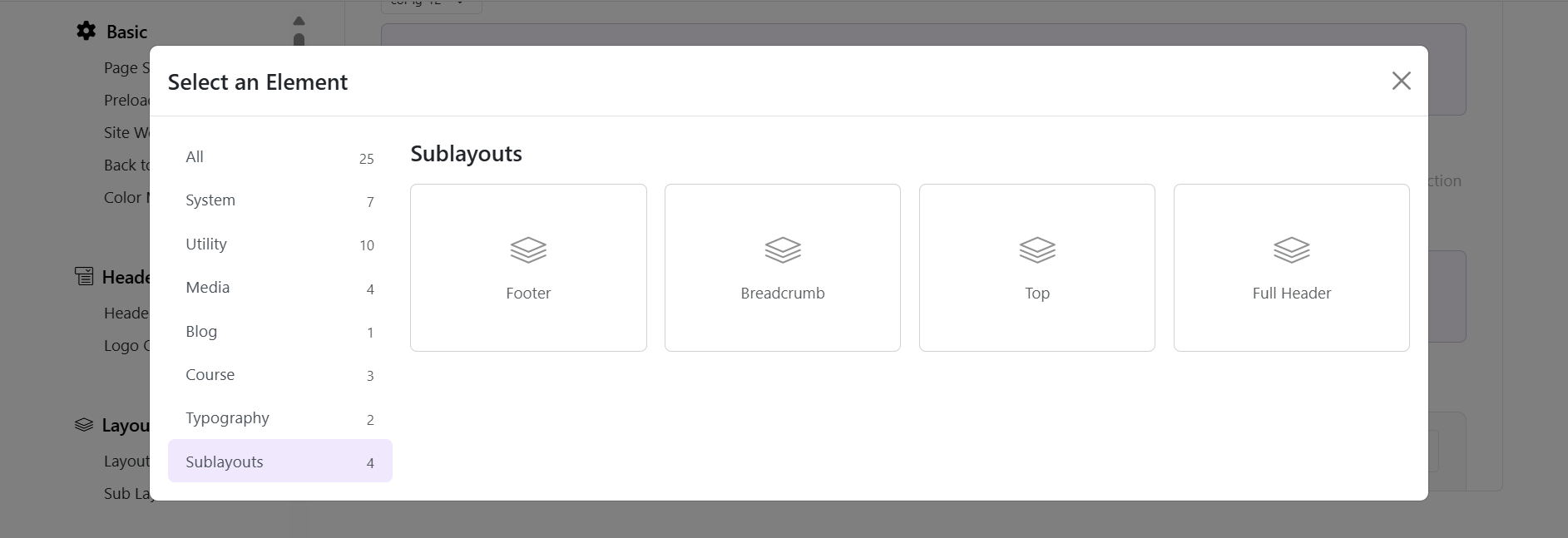
Choose a sub-layout from the library

How to Edit a Sub Layout
If you want to edit sub-layouts. Go back to Layout >> Sub Layouts >> Click to title of each sub-layout.
Edit your sub-layout and save it again. Then go to Frontend to see the result.
Summary
Basically, a sub-layout is created to help admins reuse a layout section in different layouts without having to repeat the work of creating layouts again and again.