Overview
The Social Profiles module controls the display, placement, and styling of social media icons across the website. Administrators can enable/disable social profiles, configure layout options, and manage individual social media links.
Access Path Site Administration > Appearance > Themes > Moon theme settings > Social Profiles
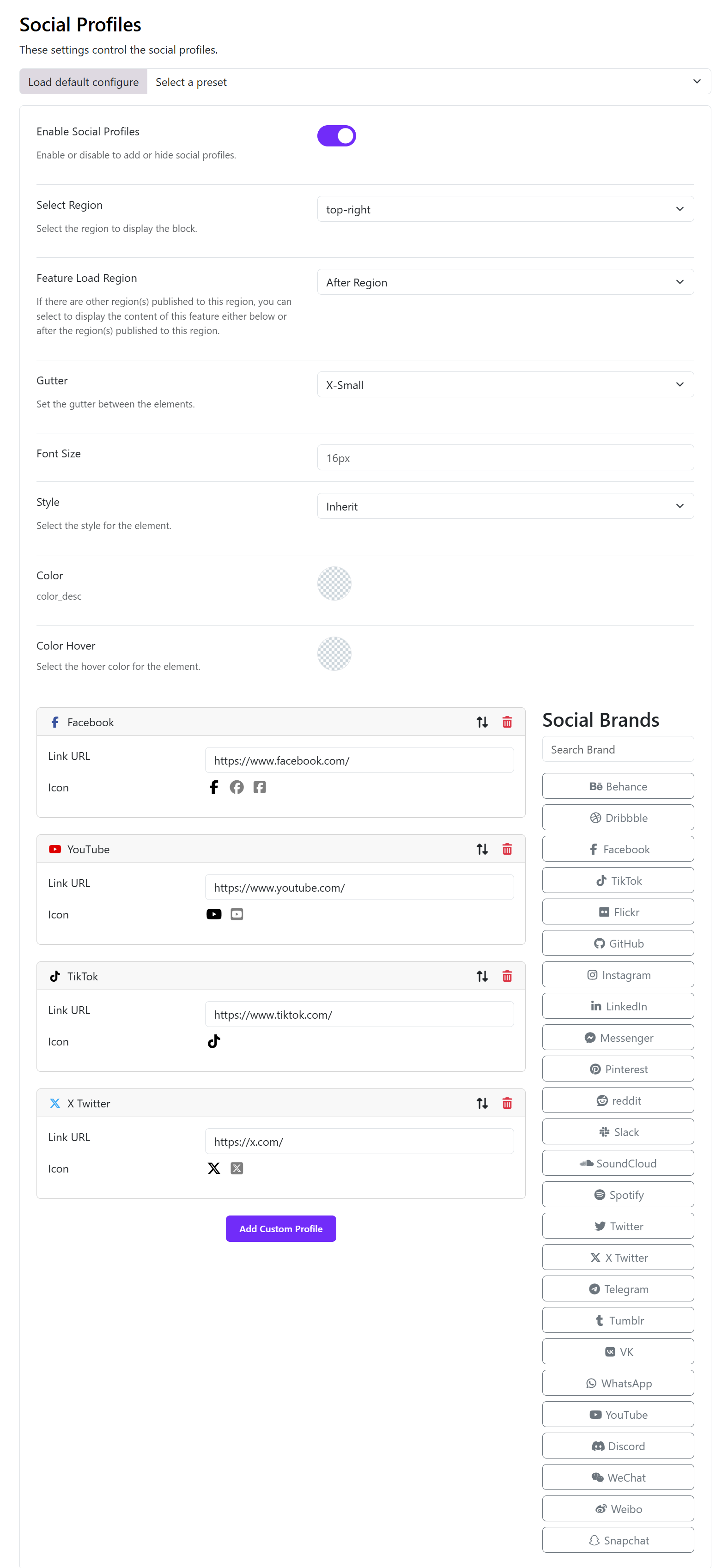
Module Configuration
Module State
- Enable Social Profiles
- Type: Toggle
- Default: Disabled
- Description: Enables or disables the rendering of social profile icons globally.
Display Configuration
- Select Region
- Type: Dropdown
- Description: Determines the theme region where the social profiles block is rendered.
Example: top-right
3.Feature Load Region
- Type: Dropdown
- Options: After Region Before Region
- Description: Defines whether the social profile content is loaded before or after other blocks assigned to the same region.
Layout & Spacing
- Gutter
- Type: Dropdown
- Description: Controls spacing between individual social icons.
Example: X-Small
- Font Size
- Type: Input (px)
- Description: Defines the size of the social icons.
Example: 16px
Styling Options
- Style
- Type: Dropdown
- Default: Inherit
- Description: Inherits styling from the active theme or applies a predefined style.
- Color
- Type: Color Picker
- Description: Default icon color.
- Color Hover
- Type: Color Picker
- Description: Icon color on hover interaction.
Social Profile Management
Supported Social Profiles
The system includes predefined social brands such as:
- YouTube
- TikTok
- X (Twitter)
- GitHub
- Telegram
- Discord
- And others listed in Social Brands
Adding a Social Profile
Select a platform from the Social Brands list OR Click Add Custom Profile for non-standard platforms.