Theming
Moon Framework provides a powerful theming system that allows you to customize the look and feel of your Moodle site. You can easily change colors, fonts, and other visual elements to match your brand or personal style.
📍 Where to Start?
- Log in to your Site Administrator Panel.
- Go to: Appearance → Themes → Edit the settings of Moon theme.
- Navigate to the Theming tab on the left sidebar
- Here you can change the default colors and link them with the different areas of your website.
- Click the
Savebutton to apply your changes.
Theming comes with 2 major features.
Select the default colors and link those colors with the default area of your website (i.e. primary, secondary and others).
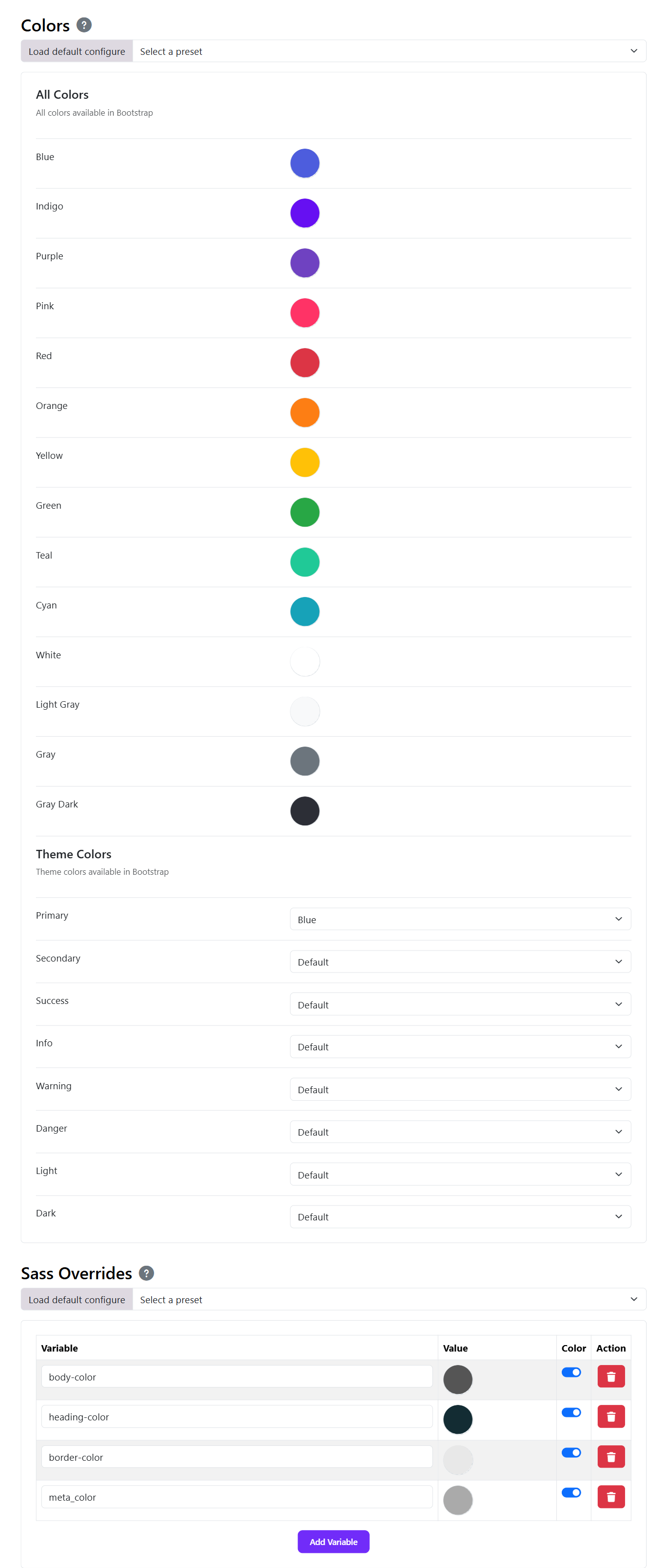
🌈 Color Palette
Moon Framework allows you to define a color palette for your theme. This palette can be used throughout your site to maintain a consistent look and feel.
🎨 Custom Colors
You can also define custom colors for specific elements of your theme. This allows you to create unique styles for different sections of your site. The SASS Overrides system is the ability to override bootstrap SAAS variables. Assuming you know SAAS and want to override the default bootstrap variables. You can easily do so by modifying the variables in the backend itself.