theme-footer
1. Overview
The theme footer is created using a Sub-Layout. This sub-layout is then inserted into the Main Layout, allowing you to reuse and manage the footer content easily. Please go to Site Administrator > Appearance > Themes > Edit the Sbona theme's settings > Layout > Sub-Layout.
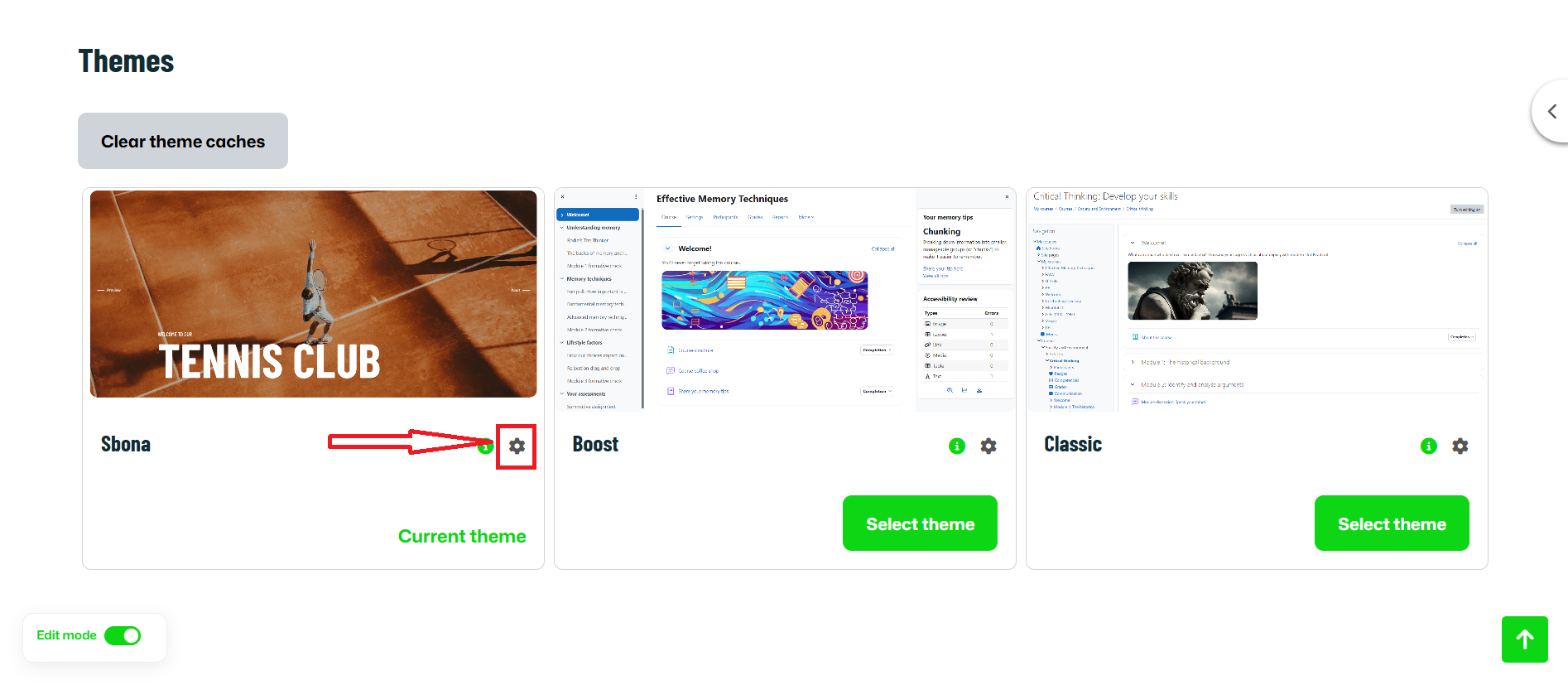
You can:
- Edit footer content (text, links, images, phone number)
- Adjust column widths
- Add or remove footer sections
- Control how the footer appears on desktop, tablet, and mobile
2. Understanding the Footer Structure
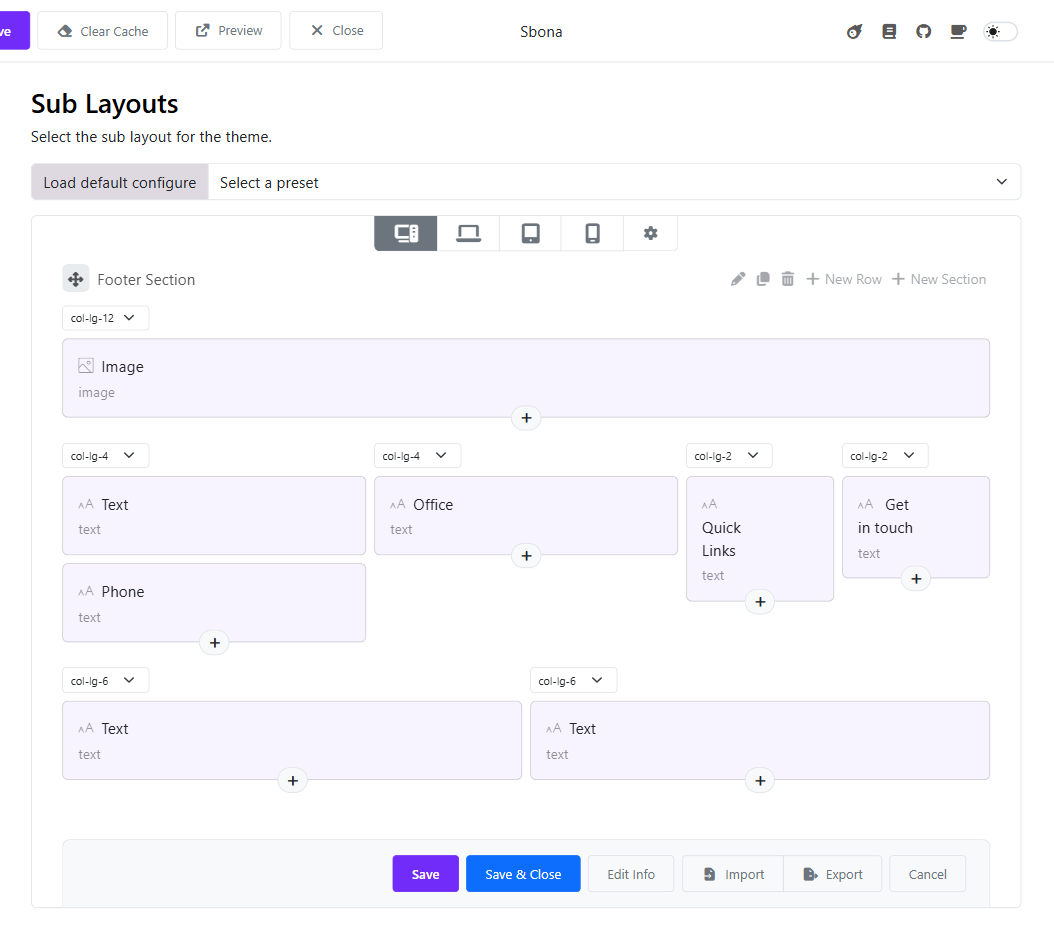
2.1 Sections
The footer is divided into sections (labeled as Astroid Section).
Each section can contain:
- One or more rows
- Multiple content blocks (text, image, links, etc.)
2.2 Rows and Columns
Inside each section:
- Content is arranged in columns
- Column width is controlled by dropdowns like
col-lg-2,col-lg-4,col-lg-6
Example:
col-lg-2= small columncol-lg-4= medium columncol-lg-6= half width
👉 Column sizes affect desktop view. Tablet and mobile views auto-adjust.
3. Footer Content Blocks
Each box inside a column is a content block.
Common footer blocks include:
- About Us – Text description
- Links – Menu or quick links
- Support – Help or contact info
- Follow Us – Social media links
- Image – Logo or footer image
- Phone Number – Contact phone
- Text – Custom text content
4. Editing Footer Content
- Click on a content block (e.g. About Us)
- Update the text, image, or links
- Click Save when finished
Changes apply instantly after saving.
5. Adding New Content
Add a new content block
- Click the ➕ (Plus) icon inside a column
- Choose the content type (Text, Image, Links, etc.)
Add a new row
- Click + New Row
Add a new section
- Click + New Section
6. Device Preview
At the top of the editor, you can switch between:
- 🖥 Desktop
- 💻 Laptop
- 📱 Tablet
- 📱 Mobile
Use these to ensure the footer looks good on all devices.
7. How the Footer Appears on the Website
- The footer sub-layout is linked to the main layout. You just need to edit the Main Layout > add the sub-layout to the footer section > Save.
- Any changes you make in the sub-layout will be automatically updated in the website footer.
- No additional setup is required.