Breadcrumb Background
1. Open Template Settings
- Go to **Moodle Admin → Site Administration → Appearance → Themes → Varaham Settings
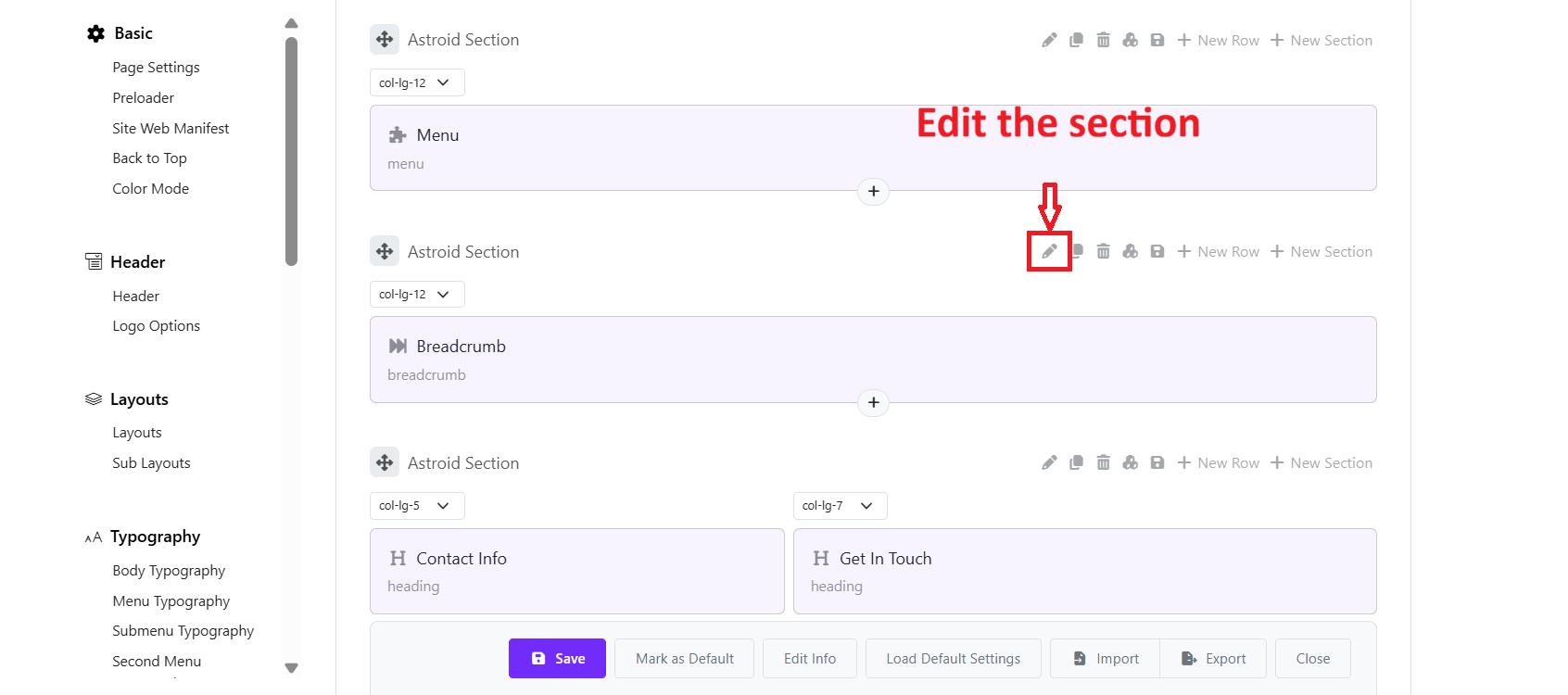
2. Go to Layout Builder and edit the section
- Go to the “Layout” tab > Navigate the section containing the Breadcrumb.
- Click edit the section
- Open Design Settings > Choose a background type (Color, Image, Video, or none)
- Under Background Image You can click Change Image, upload a new image or choose another background type.
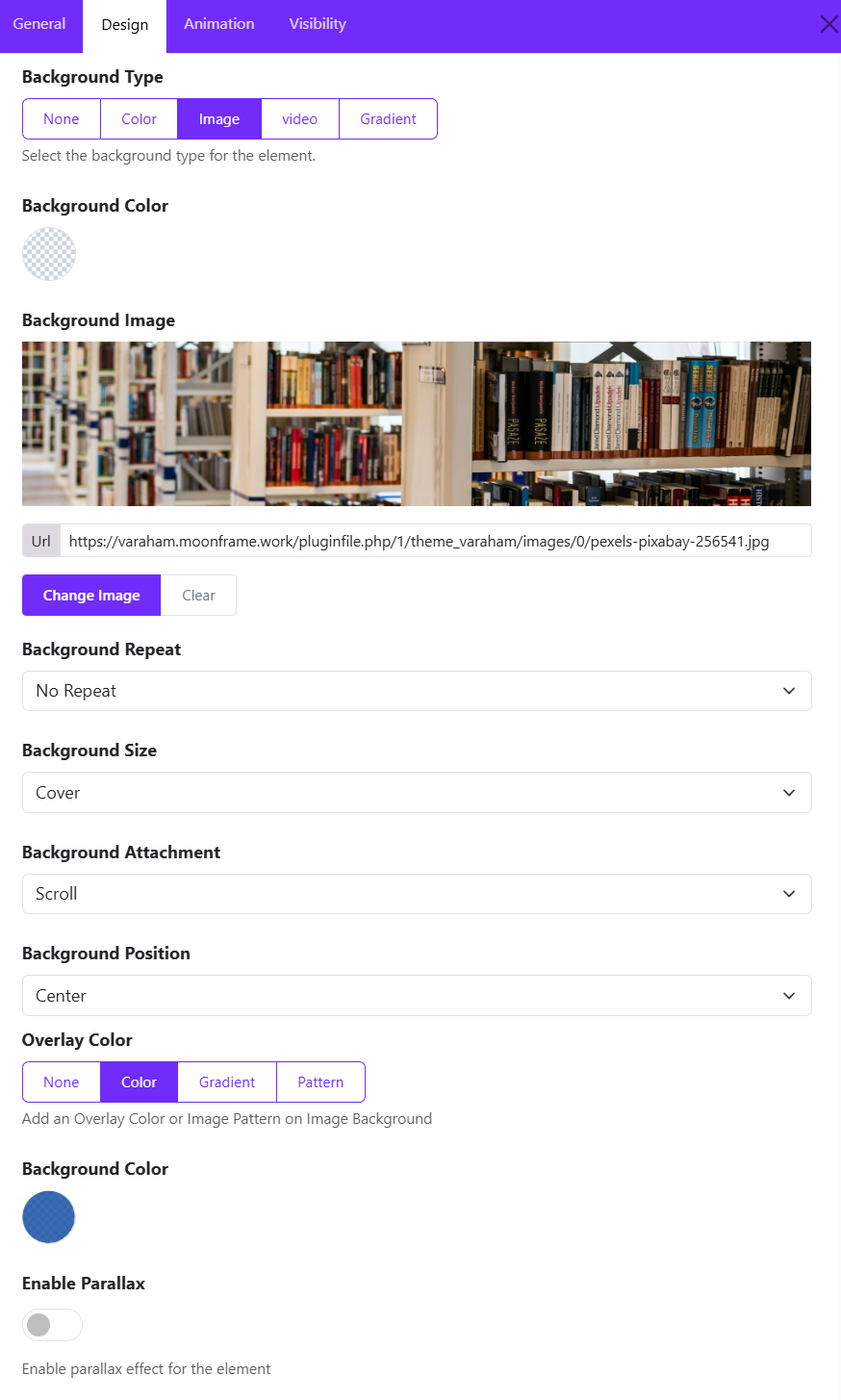
- Background Repeat ex: No Repeat
- Background Size → ex: Cover
- Background Attachment → ex: Fixed
- Background Position → ex: Center Center
- Overlay (optional) → Choose an overlay type (None, Color, Gradient, Pattern)