Education Events
Access the Calendar
- Log in to your Moodle site.
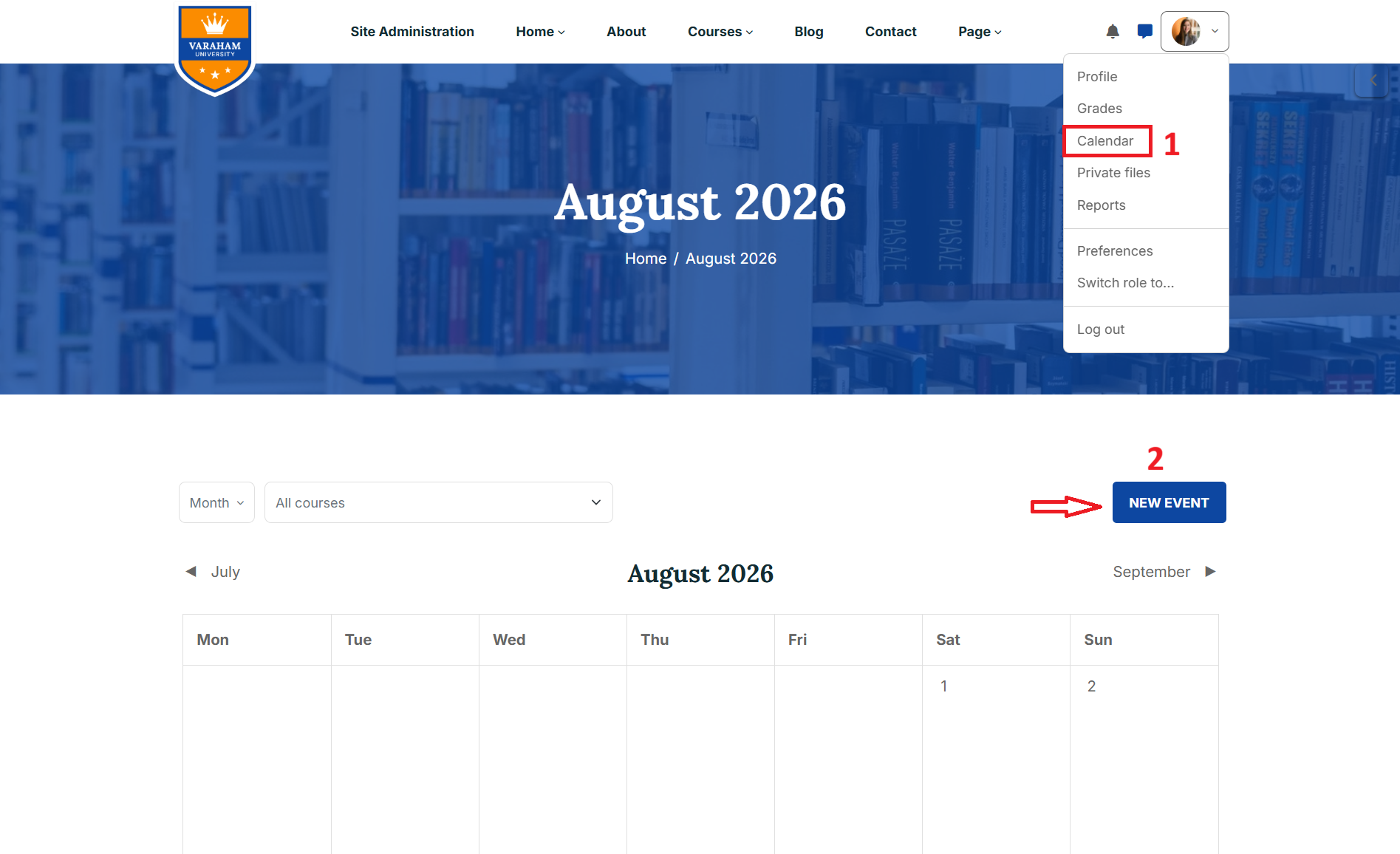
- Click your user profile/avatar in the top-right corner of the page.
- From the profile dropdown menu, select Calendar.
Create a New Event
Click the NEW EVENT button on the right side of the page.
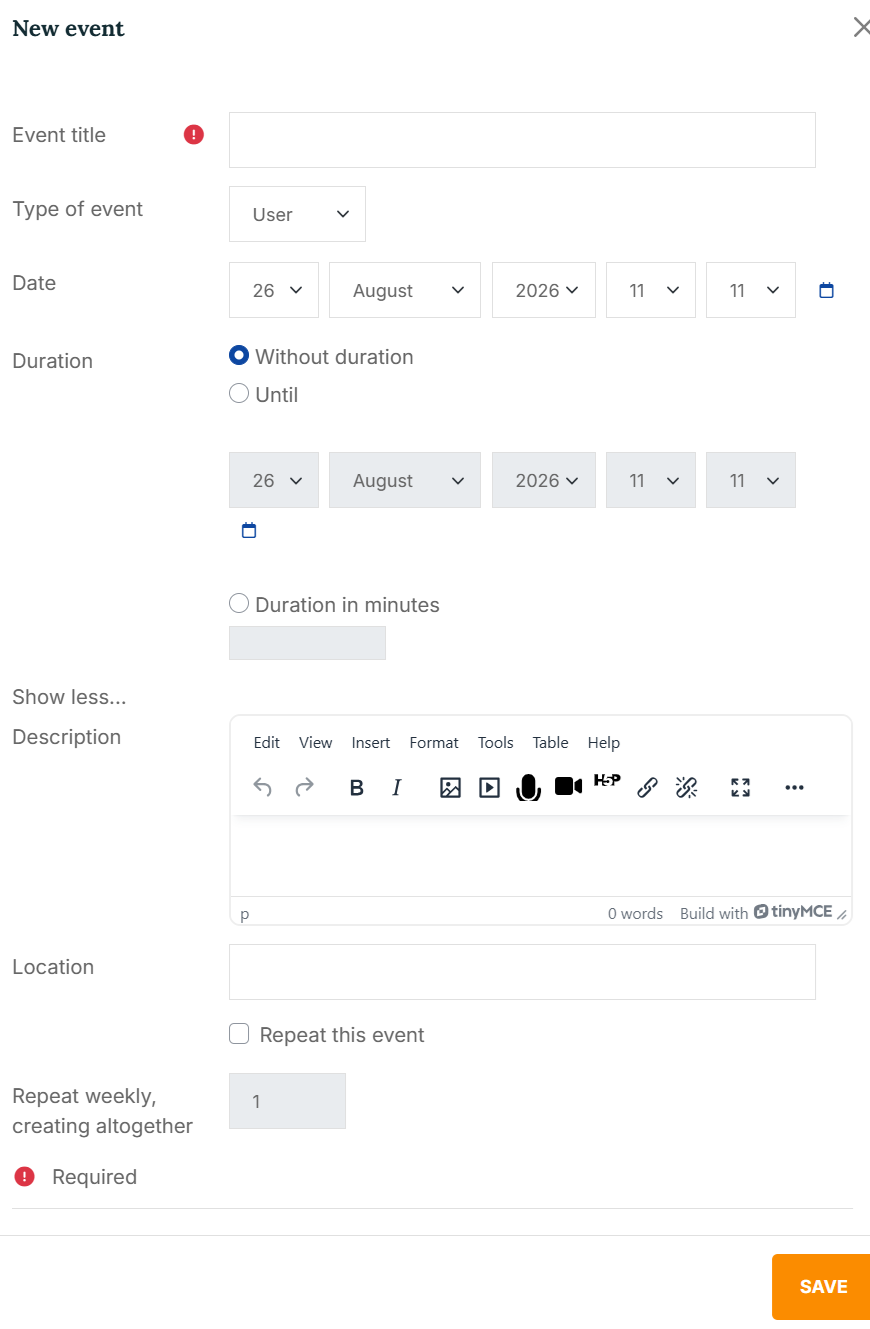
In the New Event form, enter the required information:
- Event title: Enter the name of the event.
- Event type: Use the Type of event dropdown menu to select the appropriate event type.
- Date: Select the date when the event will take place.
- Duration: Define how long the event lasts.
- Description – Add additional information or instructions about the event.
- Location – Specify where the event will take place, if applicable.
- Repeat weekly, creating altogether: If the event occurs regularly, enable Repeat this event.